Creative Suite 3 Integration

Creative Suite 3 Integration: Photoshop, Illustrator, InDesign, Dreamweaver, Flash Pro, Acrobat, Bridge and Version Cue
Focal Press | Keith Martin | July2007 | English | ISBN:0240520599 | 352 pages | PDF | 82.6MB

Book Description:

Learn how to integrate the new versions and features of all design programs within Creative Suite 3 with this definitive guide. Improve your productively by achieving professional results faster and more collaboratively. Simplify both your creative and production tasks as you move your creative elements freely between applications while maintaining editing capability all in one unified design environment.

With this book, you get a unique combination with...

* Focus on integration so that you can work most efficiently with the Suites packages together as part of your overall design workflow, saving valuable time
* Colorful, practical tutorials that use multiple programs for real-life projects
* Look-up reference and troubleshooting organization for cross-program issues - even if you use just 2 or 3 of the CS programs
* Coverage from basics for readers who are just beginning with the Suite through in-depth, comprehensive info for cross program mastery

From print, Web, or multimedia projects to PDFs, you get the most hands-on approach to cross-Suite issues. Exciting real-world projects include building entire websites and multi-chapter books. Produce effective and efficient PDFs for approval and print or screen using Acrobat with content from Photoshop, Illustrator and InDesign.

Whether you work with design, editorial, advertising, or production, you will not find this information anywhere else!

Praise from Ginna Baldassarre, Sr. Product Manager, Creative Suite, Adobe Systems Inc.

"After reading this book, I was so happy to see that we have a great resource/tool that really highlights the strides Adobe has taken to really integrate these products. Keith's book is so easy to follow and really targets the benefits and efficiencies gained by having all the creative tools work seamlessly. Keith really makes you feel like you are in his studio with him, watching him work, and learning about all the different products. It's almost a magical experience.

After reading this book, I know that you will continue to fall in love with all the new features the CS3 applications have to offer.and perhaps learn some new things that you didnt know! I know I did."

* A unique guide showing you how to use the 7 packages within Adobe's Creative Suite 3 together and efficiently as part of your overall workflow, saving you valuable time
* Produce professional results with highly illustrated, practical how-to tutorials
* Ideal to use as a look-up reference and trouble shooting manual for cross-program issues - even if you own just 2 or 3 of the CS programs

http://rapidshare.com/files/111136855/CS3I.rar
Password:full+free

PhotoShop Top Secret All 4 DVD's + Bonus DVD


How to Become a Photoshop "Black Belt"-Fast!
Just released by Mark Monciardini, Photoshop® Top Secret™ is an Extreme Training Course that teaches you, step by step, how to create cutting-edge graphics and special effects with Adobe® Photoshop®. This student-friendly home study course includes four DVD-ROMs with over 16 gigabytes of video tutorials and project files. It also comes with a full-color gallery book (printed, not pdf) that shows the end result of each project in the course. You can look, learn, practice, and master these advanced techniques wherever you may be, without the need for expensive classes or tutors


DVD 1
Create Posters, Movie Covers, Surreal Graphics and More!
The course will teach you how to become the ultimate Photoshop® "black belt" for fun and/or profit. You'll learn how to create top-level special effects for eye-catching movie posters, album covers, book jackets, brochures, mailing pieces, magazine covers, article illustrations, and a tremendously wide range of print ads and Web site graphics.
Movie Poster Design I - Create a popular people montage seen on many movie posters.
Movie Poster Design II - Take an ordinary house and turn it into a Sci-fi Movie Poster.
Movie Poster Credits - Tips and tricks on creating a real “Credit Block” for movie posters.
Dark Faces - How I created my creepy Image that has been in Magazines and Ads.
Breaking Apart - Create the illusion that a face is falling apart.
Dream Scene Montage - Create an elephant with wings and place it into a futuristic world.
Stone Portrait - Create a “Stone Bust” out of a portrait for a killer special effect.
Surreal Images - Create a creamy foggy mist over water and rocks.
Dream Skin - Create a fantasy woman with henna art and dream skin.
Special Effects - Learn how to create orbs, fireballs and jellyfish like creatures.

http://ucash.in/2a5e341

DVD 2
Painting a Portrait - Digitally paint a portrait from a photographic reference.
Swapping Faces - How to take the face from one photo and place it into a completely different one.
Pop Art - Turn a Photograph into artwork that was popular in the mid 1950’s.
Applying Tattoos - How to apply henna and tattoos to skin.
Masking Fur - Seamlessly remove the background from furry animals.
Vanishing Point - What Vanishing Point is and how to edit images with perspective.
Web Graphics - Learn how to create commonly used web graphics and screen shot
Shattered Type - Create the illusion that text is being shattered like glass.
Flower Greeting Card - Use the vector tools in Photoshop to create an elegant looking Greeting Card.
Creating DVD Covers - Mark shows you exactly how he created the Photoshop Top Secret DVD covers.

http://ucash.in/2a5e342

DVD 3
Flying out of Bounds - Create the classic “out of bounds” effect with a very cool masking trick.
Reaching out of Bounds - Creating the illusion of arms and hands reaching out of a picture frame.
Chocolate Milk Frog - How to make a frog covered in chocolate.
Covered with Wax - Choose an object and cover it with melting wax.
Grunge Look - Create a unique grunge background that can be used for almost anything.
Square Fruit - Play with mother nature by changing the shape of fruit.
Invisible Man - How to make a person vanish from their clothing.
Metal Collage - How to create a Robot with pieces of a Photo and then place it into another world.
Morphing Creatures - Morph animals and reptiles together to create interesting creatures.
Using Layer Comps - How to create multiple layouts in one Photoshop file using Layer Comps.

http://ucash.in/2a5e343

DVD 4
Vector Art Portrait - Turn a Photograph into beautiful vector art.
Dreamy Background - Create Sci-fi looking spiral backgrounds.
Liquid Metal - The ultimate Liquid metal technique that can be applied to text and objects.
Smoke - Create Psychedelic and Natural Smoke to incorporate into your artwork.
Soap Bubbles - Use soap bubbles to add flair to your projects.
Water Bubbles - Use these water bubbles to infuse imagination into your projects.
Underwater Scene - Create an underwater illusion with just the tools in Photoshop.
Swap Animal Skin - Take skin from one animal and place it over another.
Stylized Character - Turn a sketch into colorful art.
Masking Mastery - Special video that explains many masking techniques used by the pros.

Tech Info:
Video tutorials stream off the DVD-Roms using Adobe Flash technology. Videos have stereo sound and run at 12 to 15 frames per section. Stop, Play pause and video scrub controls are available at all times.

http://ucash.in/2a5e344

DVD5 Bonus

http://ucash.in/2a5e345


Top_12_Frames_Maker

http://rapidshare.com/files/109332347/www.cw-network.info_Top_12_Frames_Maker_AIO_by_Cyber_GodFathe.rar
Password: www.cw-network.info

Urban Scrawl & Hip Hop Brushes For Photoshop

Brush for adobe photoshop


http://www.megaupload.com/?d=OYAVDE98

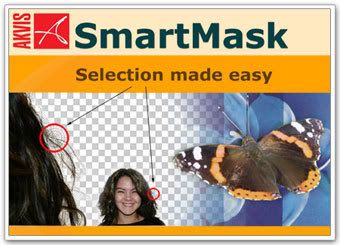
KVIS SmartMask is a photoshop filter that can Save time on making complex selections.why you lost details while you making sellestions(like hair for example)? check it out!
AKVIS SmartMask is an efficient selection tool that saves you time and is fun to use. Never before has selection
been so simple! There are many occasions when you have to make a selection. When processing an image, you will
often need to mark up an area to which an effect or a correction should be applied. Photo collage and photo montage
creation requires thorough selection of objects.However, making selection can be a painstaking job because many
objects don't have clearly defined edges and fade into the background. Just try selecting yourself on a group photo.
AKVIS SmartMask makes even a difficult selection as easy as pie. Now, you can spend less of your time on selection
of objects and more of it on creativity.The idea is so simple that you will feel like a child in drawing classes:
there are two pencils (red and blue); you draw a line with the blue pencil inside the object you want to select
(for example, yourself on a group photo), and with the red pencil - some lines outside the object, to define the
areas that should be cut out (other guys in the photo).The program miraculously reads your thoughts and makes the
selection you want - understanding where the borders of the object end.There are three modes tailored to different
selection types: Sharp, Soft and Complex.For example, in the Soft mode a green pencil is added, that helps you to
define difficult parts - fluff, hair, fur. In cases where the selected object stands against a background of a
similar color range, or the object's edges are uneven, you can use the touch-up brush in the Complex mode.

http://ucash.in/2a5e35c

Keep Blog Alive

Buat teman-teman males download aku udah siapkan 1 DVD

Isi 1 DVD :

Adobe Photoshop CS3 for Photographers
Runs Brush Collection
Light Brush
PROJECT CREATIVE PORTRAITS - Combining elements for creative portraits
PROJECT PHOTO SURREALISM - Building an architectural face
PROJECT DRAWING HANDS - Creating a fusion of drawing and photography
PHOTOSHOP A FAMILY PORTRAIT - Create a family portrait to remember
COVER FEATURE TAKE GREAT ANIMAL SHOTS - Animal magic!
Digital SLR-Nikon D70
Mastering Digital Printing 2nd Edition
Nikon Guide to Digital Photography with the D70
Photo - nikon guide to digital photography
Popular Photography and Imaging
Popular Photography And Imaging Magazine
The Complete Creative Handbook The Permanence and care of Color Photographs
Thom Hogan's Complete Guide to Nikon D70
Uwe Steinmuller, Jurgen Gulbins, The Art of RAW Conversion
Wiley Photoshop Cs2 Before And After Makeovers Jan 2006 Ebook
Sub Folders
Nikon Software
NikonCapturev440
NikonView6.2.7
PhotoshopFix Magazines
Photoshop Fix - Sep-04 – Apr 05
Bonus
Kodak.Eastman.Digital.Gem.Airbrush.Pro.v2.0.0.for.Adobe.Photoshop.for.Windows.XP
Kodak.Eastman.Digital.Gem.Pro.v2.0.0.for.Adobe.Photoshop.for.Windows.XP
Kodak.Eastman.Digital.Roc.Pro.v2.0.0.for.Adobe.Photoshop.for.Windows.XP
Kodak.Eastman.Digital.Sho.Pro.v2.0.0.for.Adobe.Photoshop.for.Windows.XP
Noise.Ninja.v2.1.0.For.Photoshop.Incl.Keygen-EAT
Noiseware.Professional.v3.4.0.3.for.Adobe.Photoshop.Incl.Keygen
plugin VirtualPhotographer

kalo yang membutuhkan silahkan simpan emailnya di komentar
nanti saya akan menghubungi,

+ keep this blog alive +

Adobe Photoshop CS3 for Photographers (DVD)

Master the power of Photoshop CS3 with
an internationally renowned photographer by your side.

Adobe’s Photoshop CS3 comes with powerful new features with huge payoffs. But it can be overwhelming to learn, even for professional photographers, graphic designers, keen amateurs, and others who already have an initial grasp of Photoshop. Acclaimed photographer Martin Evening, who wrote the best-selling previous books, 'Adobe Photoshop for Photographers', makes it easy with this new, thoroughly updated edition.

# Illustrated throughout with before-and-after pictures – more than 750 professional, color illustrations!
# Practical techniques and real-life assignments
# Step-by-step tutorials
# Keyboard shortcut reference guide

Includes FREE DVD with:
# QuickTime movie tutorials for MAC and PC
# Searchable tips on tools, palettes layer styles, and shortcuts
# Includes images selected for you to experiment with to get you up to speed with everything in the book, including the new Photoshop CS3 features, fast!
# Updated Camera Guide to help you decide which will best suit your needs, plus bonus Digital Capture chapter in printable PDF format

Uncover quickly exactly what Adobe’s CS3 now offers photographers. New tutorials focus on the key features introduced in CS3. You lose no time in finding out how to put your ideas to work with:

# Adobe’s Camera Raw 4 plug-in that can now also process TIFFs and JPEGs
# New Align controls for combining HDR images; Photomerge; new Clone Stamp; Curves dialog that now incorporates Levels functionality; and improved controls for Brightness/Contrast to match raw image processing controls
# The latest on Black and White adjustment, which provides all the black and white conversion tools you need for optimum monochrome conversions
# A pro’s scoop on choosing from among dozens of Photoshop’s image adjustment methods to get the results you want
# Tips on Bridge 2.0 and Lightroom – when you should use each
# Top tactics for successful composite images, insider guidance on editing shadows and highlight adjustments, and lessons on how to preview and re-edit filter effects as many times as you want – without complex workarounds

Get the preeminent advice from one photographer to another as Martin completely updates you on the core aspects of working with Photoshop, digital workflow, and improving accessibility. Real-life examples, diagrams, illustrations, and step-by-step explanations ensure that you’re up to speed with the next generation of digital photography in no time!

Foreword by Adobe Systems’ key Director of Engineering, Digital Imaging, Marc Pawliger

Movie 01) The New Photoshop Interface
Movie 02) What's New in Camera Raw
Movie 03) Camera Calibration
Movie 04) Working with Image Stacks
Movie 05) Raw Image Optimization with Smart Objects
Movie 06) Smart Objects & Smart Filters
Movie 07) Photomerge & Align Image
Movie 08) Quick Selections & Refining Selection Edges
Movie 09) Advanced Masking in Photoshop
Movie 10) RGB Colour Space
Movie 11) Drawing Pen Paths.

Just information
sorry the download link *deleted from rapid*

 
freak4all © 2008 Por *freak4all*